> ## Documentation Index
> Fetch the complete documentation index at: https://docs.bayboard.io/llms.txt
> Use this file to discover all available pages before exploring further.
# Job types
> The six job types in Settings and what each one controls.
Owner / Admin, General Manager, and Foreman can open Settings and pick **Job Types**. Service Advisor and Technician do not see this tab.
Settings > Job Types is a read-only reference pane. The six types are fixed for every shop. You cannot add, edit, delete, or reorder them.
 ## Open Job Types
Open Settings from the left rail.
Click **Job Types** in the Settings list. The dialog title reads Job Types.
## The pane layout
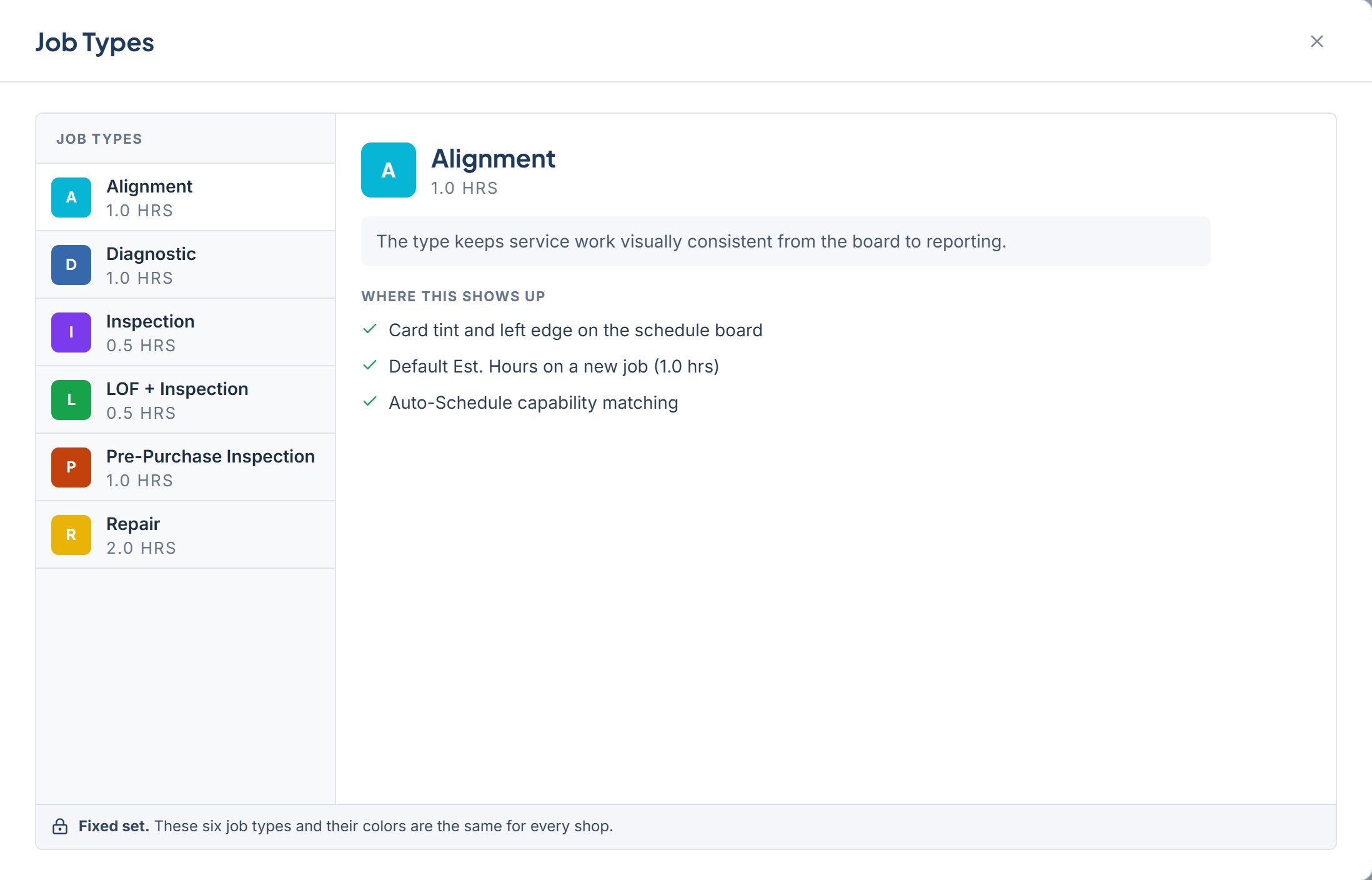
The left side lists **Job Types** with six rows. Each row shows the type name, its default estimated hours, and a color swatch.
Click a row to show its detail on the right. The detail panel shows the name, default hours, a short description, and a **Where this shows up** list.
A footer bar at the bottom reads **Fixed set.** These six job types and their colors are the same for every shop.
## The six job types
| Type | Default Est. Hours | Color |
| ----------------------- | ------------------ | ------- |
| Alignment | 1.0 hrs | #06B6D4 |
| Diagnostic | 1.0 hrs | #3669AC |
| Inspection | 0.5 hrs | #7C3AED |
| LOF + Inspection | 0.5 hrs | #16A34A |
| Pre-Purchase Inspection | 1.0 hrs | #C2410C |
| Repair | 2.0 hrs | #EAB308 |
Every type shares this description: "The type keeps service work visually consistent from the board to reporting."
When you click a type, **Where this shows up** lists three bullets:
* Card tint and left edge on the schedule board
* Default Est. Hours on a new job, with that type's hours in parentheses
* Auto-Schedule capability matching
For example, Repair shows "Default Est. Hours on a new job (2.0 hrs)" and Inspection shows "(0.5 hrs)".
## Related
* [Job statuses on the board](/schedule-board/job-statuses)
* [Add a job](/schedule-board/add-a-job)
* [Tech capability profile](/team-and-roles/tech-capability-profile)
## Related topics
- [Add a job](/schedule-board/add-a-job.md)
- [Unassigned jobs](/schedule-board/unassigned-jobs.md)
- [Job statuses](/schedule-board/job-statuses.md)
- [Tech capability profile](/team-and-roles/tech-capability-profile.md)
- [Job details](/schedule-board/job-details.md)
## Open Job Types
Open Settings from the left rail.
Click **Job Types** in the Settings list. The dialog title reads Job Types.
## The pane layout
The left side lists **Job Types** with six rows. Each row shows the type name, its default estimated hours, and a color swatch.
Click a row to show its detail on the right. The detail panel shows the name, default hours, a short description, and a **Where this shows up** list.
A footer bar at the bottom reads **Fixed set.** These six job types and their colors are the same for every shop.
## The six job types
| Type | Default Est. Hours | Color |
| ----------------------- | ------------------ | ------- |
| Alignment | 1.0 hrs | #06B6D4 |
| Diagnostic | 1.0 hrs | #3669AC |
| Inspection | 0.5 hrs | #7C3AED |
| LOF + Inspection | 0.5 hrs | #16A34A |
| Pre-Purchase Inspection | 1.0 hrs | #C2410C |
| Repair | 2.0 hrs | #EAB308 |
Every type shares this description: "The type keeps service work visually consistent from the board to reporting."
When you click a type, **Where this shows up** lists three bullets:
* Card tint and left edge on the schedule board
* Default Est. Hours on a new job, with that type's hours in parentheses
* Auto-Schedule capability matching
For example, Repair shows "Default Est. Hours on a new job (2.0 hrs)" and Inspection shows "(0.5 hrs)".
## Related
* [Job statuses on the board](/schedule-board/job-statuses)
* [Add a job](/schedule-board/add-a-job)
* [Tech capability profile](/team-and-roles/tech-capability-profile)
## Related topics
- [Add a job](/schedule-board/add-a-job.md)
- [Unassigned jobs](/schedule-board/unassigned-jobs.md)
- [Job statuses](/schedule-board/job-statuses.md)
- [Tech capability profile](/team-and-roles/tech-capability-profile.md)
- [Job details](/schedule-board/job-details.md)