> ## Documentation Index
> Fetch the complete documentation index at: https://docs.bayboard.io/llms.txt
> Use this file to discover all available pages before exploring further.
# My profile and password
> Update your name or change your password in Settings > My Profile.
Settings > My Profile is where you manage your own account. Every role has this section. You can also reach it from the account menu at the bottom of the left rail by clicking **My Profile**.
 ## Update your name
In the Profile panel, change Full Name. This is the name other staff see.
Click **Save Profile**. You see "Changes saved."
Email is read-only. It is managed by your shop admin in Users. Ask your Owner / Admin or General Manager if it needs to change.
## Change your password
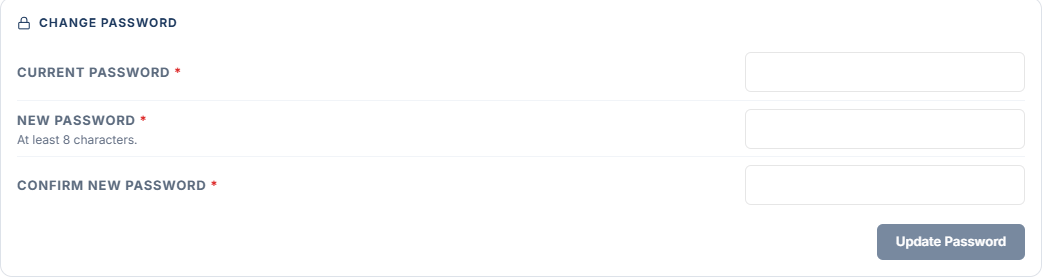
In the Change Password panel, type your Current Password.
Type a New Password of at least 8 characters, then type it again in Confirm New Password.
Click **Update Password**.
| Error | Fix |
| ------------------------------------ | ------------------------------------------------------------------------------------------ |
| "Use at least 8 characters." | Pick a longer New Password. |
| "The passwords do not match." | Retype Confirm New Password so it matches. |
| "The current password is incorrect." | Retype Current Password. If you cannot remember it, sign out and use **Forgot password?**. |
## Related
* [Sign in and reset your password](/getting-started/sign-in)
* [Notifications](/getting-started/notifications)
## Related topics
- [Sign in and reset your password](/getting-started/sign-in.md)
- [Getting started](/getting-started.md)
- [My hours](/reports/my-hours.md)
- [Users and access](/users-and-access.md)
- [Shop profile and hours](/getting-started/shop-profile-and-hours.md)
## Update your name
In the Profile panel, change Full Name. This is the name other staff see.
Click **Save Profile**. You see "Changes saved."
Email is read-only. It is managed by your shop admin in Users. Ask your Owner / Admin or General Manager if it needs to change.
## Change your password
In the Change Password panel, type your Current Password.
Type a New Password of at least 8 characters, then type it again in Confirm New Password.
Click **Update Password**.
| Error | Fix |
| ------------------------------------ | ------------------------------------------------------------------------------------------ |
| "Use at least 8 characters." | Pick a longer New Password. |
| "The passwords do not match." | Retype Confirm New Password so it matches. |
| "The current password is incorrect." | Retype Current Password. If you cannot remember it, sign out and use **Forgot password?**. |
## Related
* [Sign in and reset your password](/getting-started/sign-in)
* [Notifications](/getting-started/notifications)
## Related topics
- [Sign in and reset your password](/getting-started/sign-in.md)
- [Getting started](/getting-started.md)
- [My hours](/reports/my-hours.md)
- [Users and access](/users-and-access.md)
- [Shop profile and hours](/getting-started/shop-profile-and-hours.md)