
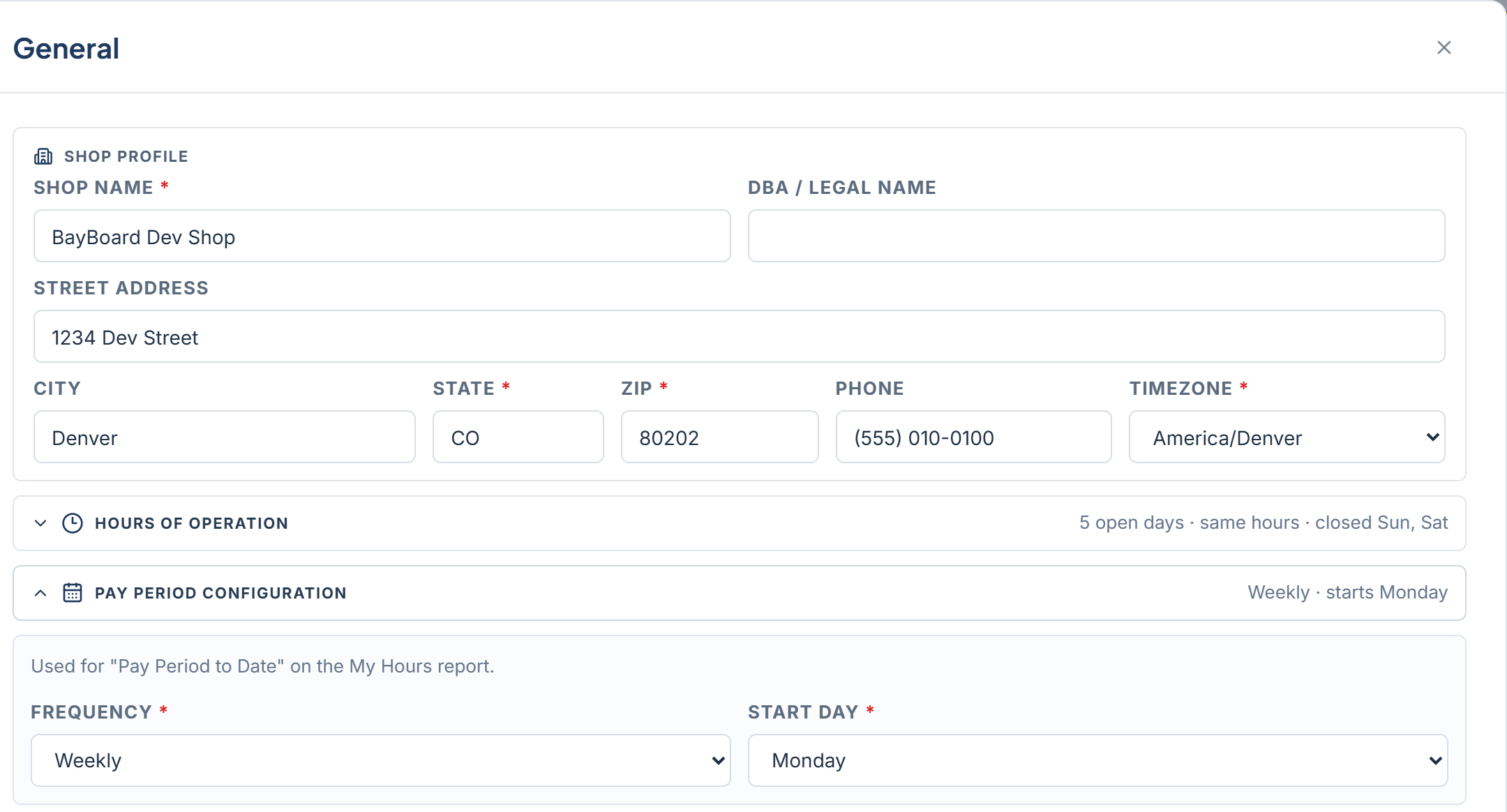
Shop profile
Hours of Operation
Open the Hours of Operation accordion. Times are in the shop’s local timezone. Each day from Monday to Sunday has an Open/Closed toggle and opening and closing times in 30-minute steps. Set Monday, then click Apply Mon To Tue-Fri to copy it across the work week. The summary line shows what you have set, for example “5 open days · same hours · closed Sat, Sun”. Shop hours shape the board. The grid runs from opening to closing time, and closed days are skipped when you move between days. A job cannot be dropped outside these hours.Pay Period Configuration
Open the Pay Period Configuration accordion. This is used for “Pay Period to Date” on the My hours report. Choose a Frequency of Weekly, Biweekly, or Monthly. Then set Start Day, or Start Day of Month for a monthly period.Save your changes
The status line reads “Unsaved changes” while you edit and “All changes saved” once saved. Click Save Changes. You see “Changes saved.” on success, or “Changes were not saved” with a Retry button. If you close Settings with edits pending, BayBoard asks “Discard unsaved changes?”. If you come back later and see “You have unsaved changes from earlier.”, click Restore to pick up where you left off or Discard to start clean.When billing is past due, every Settings section is read-only until payment is updated.