
What it searches
- RO number
- Customer name
- Vehicle year, make, or model
- Job type
- VIN, once you type three or more characters
Results
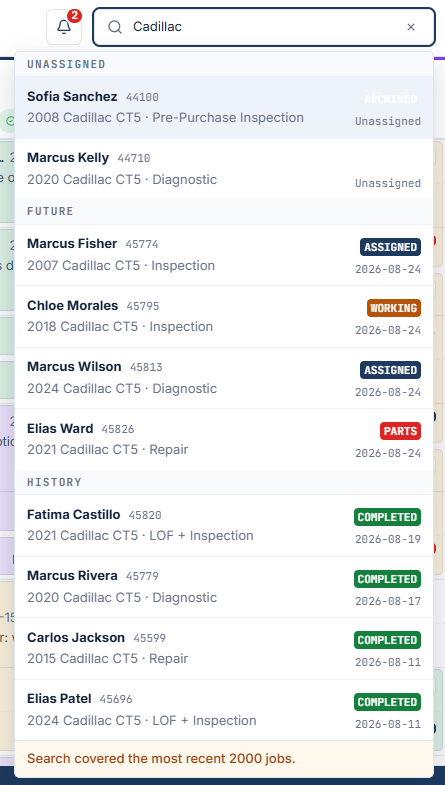
Up to 10 results show, grouped as Today, Unassigned, Future, and History. Select a result to open that job’s details on the day it is scheduled.Keyboard
- Arrow keys move through the results.
- Enter opens the selected job.
- Esc closes search. Press Esc again to clear the text.
Search covers the most recent 2000 jobs. When that limit applies, the results end with “Search covered the most recent 2000 jobs.” Older jobs will not appear.