
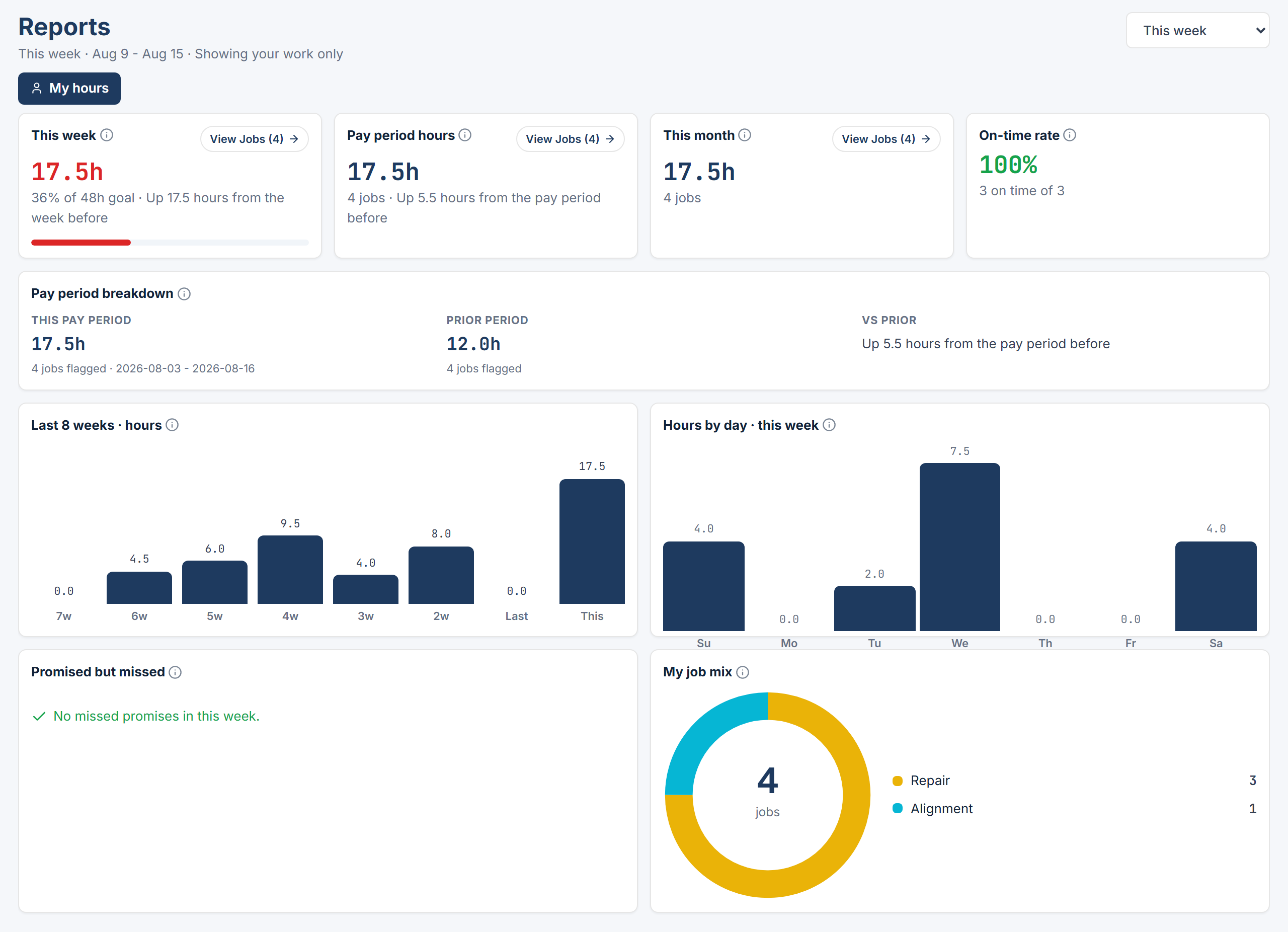
Pick a range
Use the “Report range” select: Today, This pay period, This week, Last week, This month, Last month, Year to date, or Custom. Custom adds start and end date inputs and can cover at most 366 days. This pay period comes from the Pay Period Configuration in Settings > General, which the Owner / Admin or General Manager sets. See Shop profile and hours.The four tiles
Your weekly goal is your DAILY GOAL (HRS) from the roster, added up for each day the shop is open this week, minus any time off. If that comes to zero, the tile reads “No weekly goal set”.
Click View Jobs (n) on This week, Pay period hours, or This month to see the jobs behind the number, then click an RO # to open Job Details. On-time rate has no jobs button.
The five panels
- Pay period breakdown compares “This pay period” with “Prior period” and shows the difference as “Vs prior”.
- Last 8 weeks · hours charts your hours week by week.
- Hours by day · this week charts each day of the current week.
- Promised but missed lists jobs that passed their promised time. When empty it reads “No missed promises in [range].”
- My job mix breaks your work down by job type.