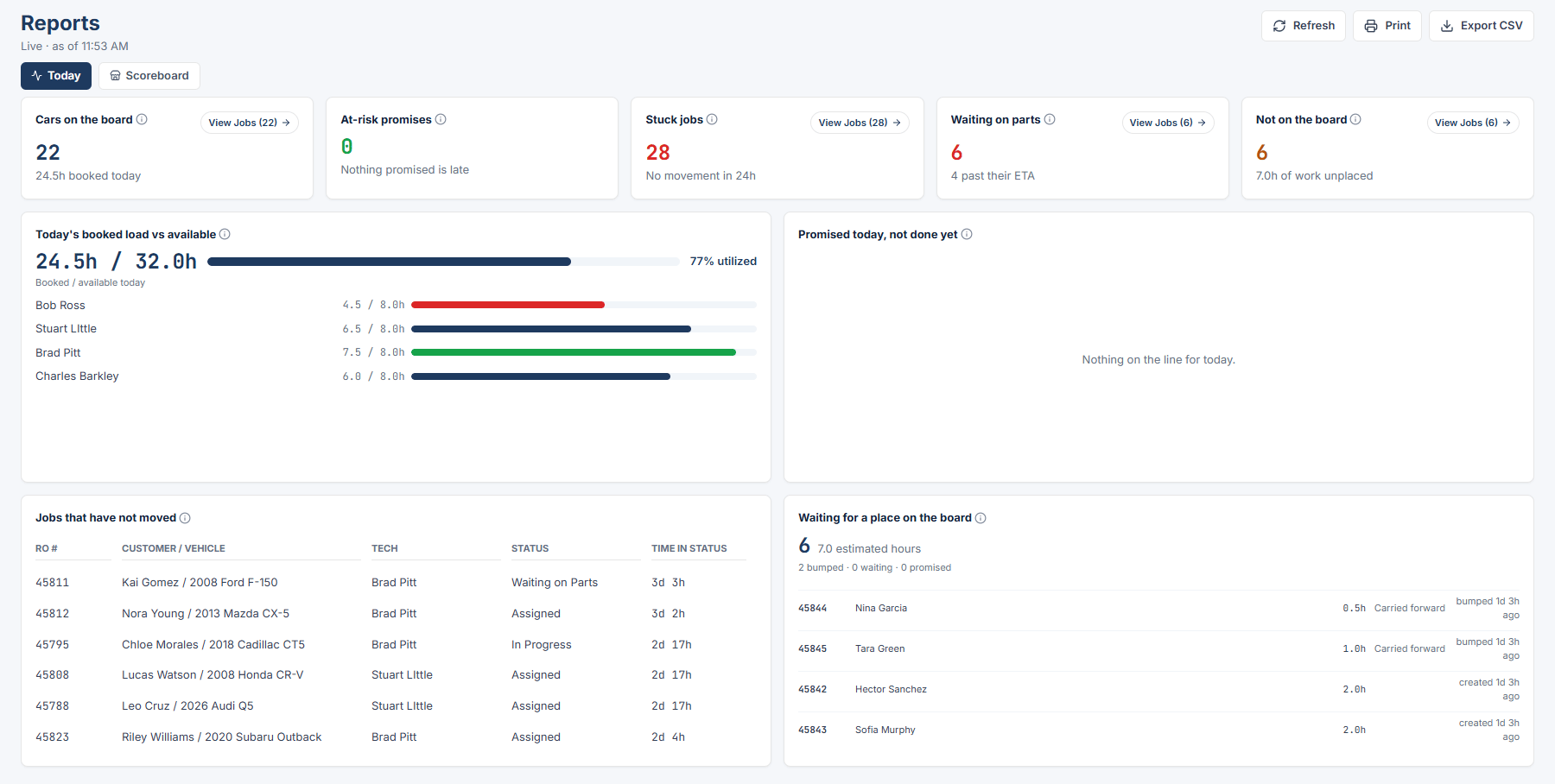
Today is the first lens in Reports. Owner / Admin, General Manager, Service Advisor, and Foreman can open it.
Today is live. The subline reads “Live · as of [time]”. Click Refresh to pull the latest numbers. The lens also refreshes on its own when you come back to the tab. There is no range picker on this lens.
The five tiles
Each tile has an info tooltip and a View Jobs (n) button. Hover the info icon to see the same sentence in the app.
- Cars on the board Cars scheduled on today’s board, whatever their status. Hint under the number: “[x]h booked today”
- At-risk promises Cars you promised for today that are not done yet. Hint: “Nothing promised is late” when the tile is clear
- Stuck jobs Jobs that have not moved in a day or more. Hint: “Everything is moving” when the tile is clear
- Waiting on parts Cars waiting on a part right now, always current rather than the selected range. Hint: “[n] past their ETA” or “No past-due ETAs” under the number
- Not on the board Open jobs with no scheduled date, always current rather than the selected range. Hint: “[x]h of work unplaced”
The four panels
Below the tiles:
- Today’s booked load vs available shows shop booked hours against available hours with “[n]% utilized”, then a list for each technician on the roster.
- Promised today, not done yet lists the at-risk promises. When empty it reads “Nothing on the line for today.”
- Jobs that have not moved is a table with RO #, Customer / Vehicle, Tech, Status, and Time in status. When empty it reads “No jobs have been stuck for 24 hours.”
- Waiting for a place on the board lists unassigned jobs. When empty it reads “Every open job has a place on the board.”
Open the jobs behind a tile
Click View Jobs (n) on any tile. A panel opens on the right with the jobs in that slice. Click an RO # to open its Job Details. The panel shows the first 200 rows; click Show All [n] to load the rest. Press Esc to close it.
Empty states
If the shop has no jobs yet, the lens reads “No jobs yet” with “Once you put cars on the board, they’ll show up here.”
Last modified on September 8, 2026